
Moire moves your photos anywhere.
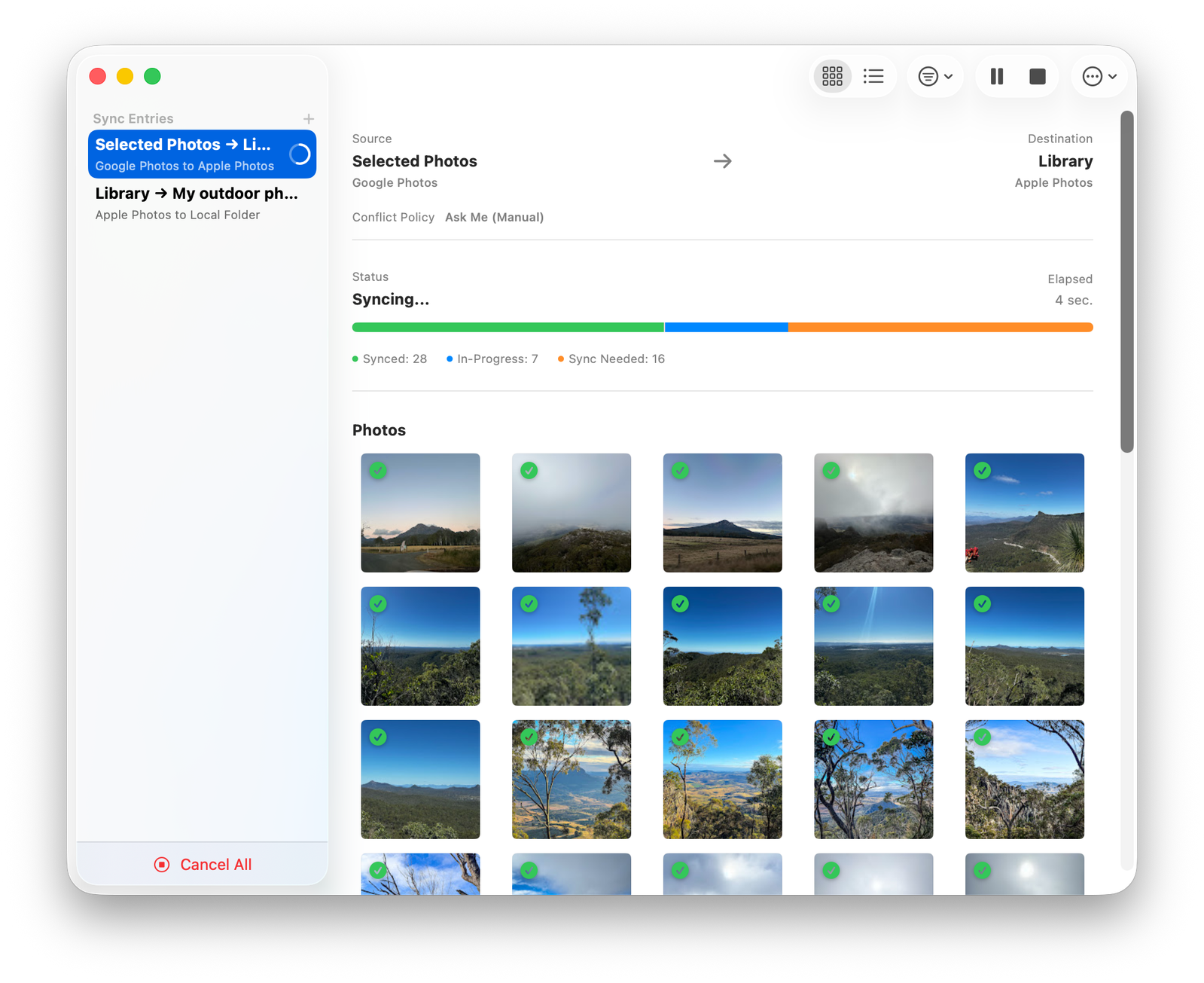
Transfer photos seamlessly between Apple Photos, Google Photos, Facebook, S3, and local folders — all from your Mac.
Requires macOS 14 Sonoma or later.
Requires iPadOS 26 or later.
One app, every photo library
Connect the services you already use and move photos freely between them.
Apple Photos
Deep PhotoKit integration for your entire library.
Google Photos
Full OAuth2-based sync with your Google account.
Bring photos and videos over from Facebook.
Amazon S3
Any S3-compatible storage — R2, Minio & more.
Local Folders
Sync straight to and from folders on your Mac.
Built for serious photo libraries
Everything you need to move, match, and manage photos with confidence.
Multi-Provider Support
Apple Photos, Google Photos, Facebook, S3, and local folders in one place.
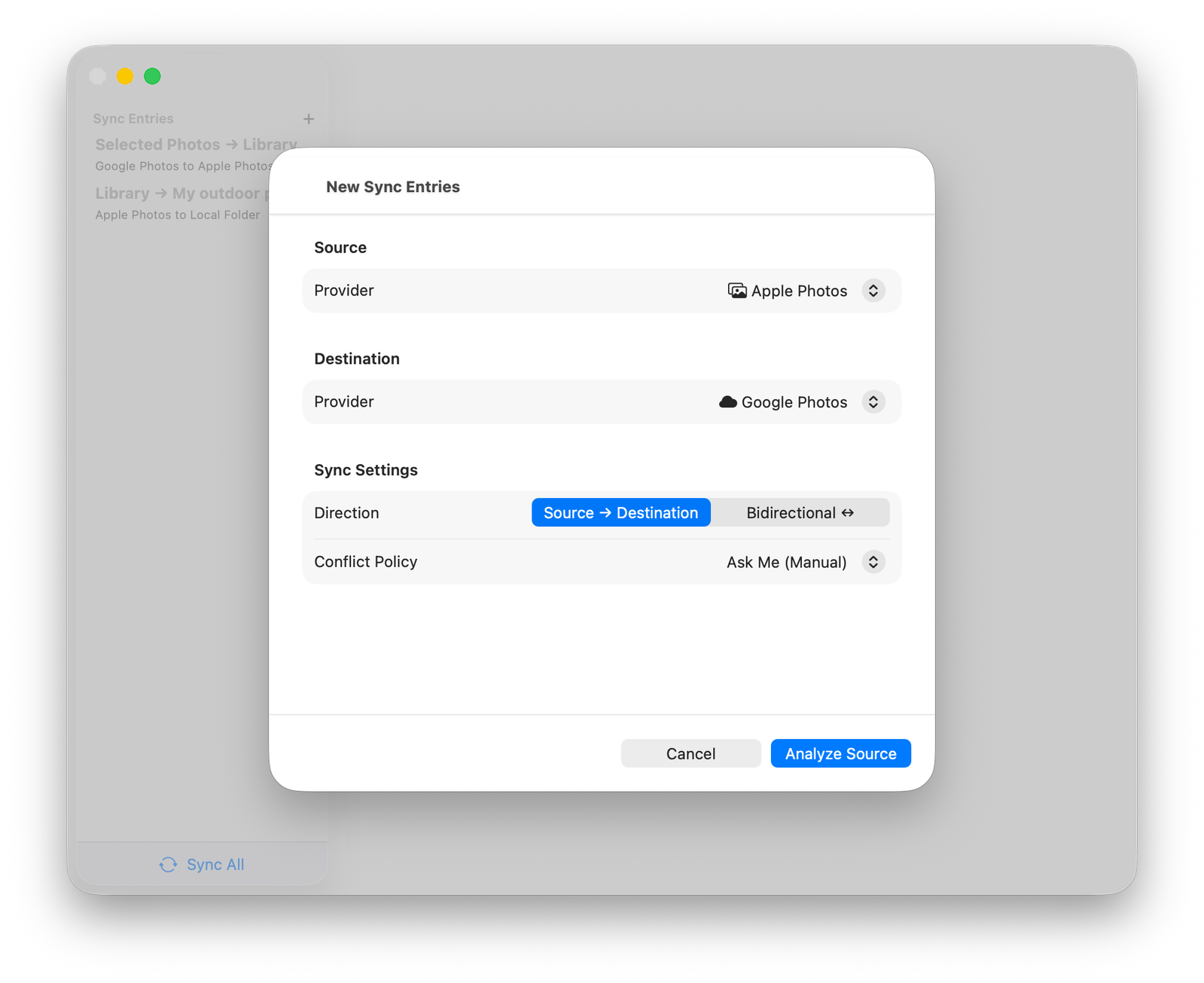
Flexible Sync Directions
One-way either direction, or fully bidirectional sync.
Smart Conflict Resolution
Manual review, source/destination wins, or new-only mode.
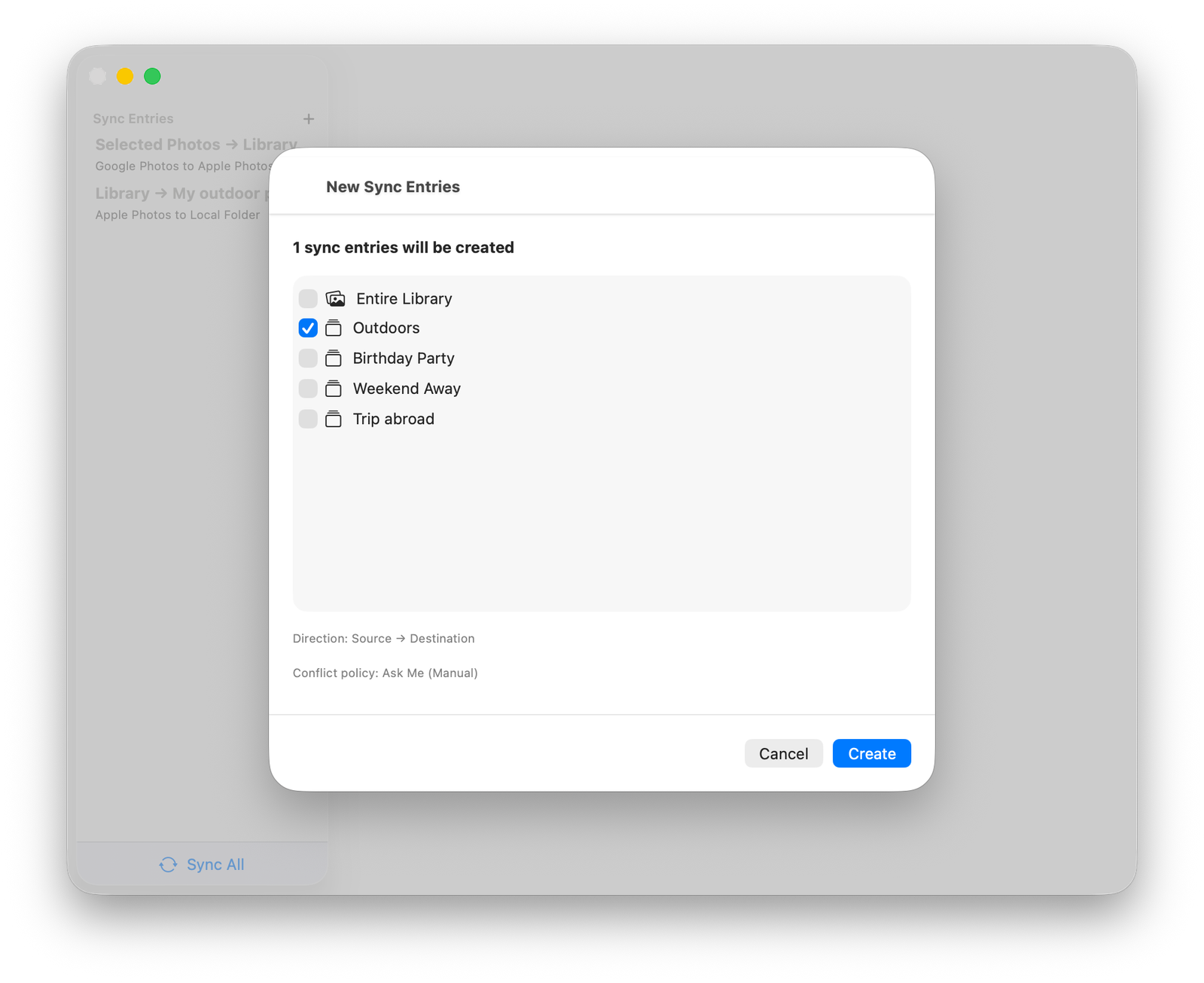
Bulk Sync Wizard
Set up an entire library and all albums in one guided flow.
Intelligent Asset Matching
Identifies identical files instantly using unique digital fingerprints, avoiding duplicate transfers.
Metadata Preserved
Dates, locations, album structure and tags all carry over.
Granular Transfer Controls
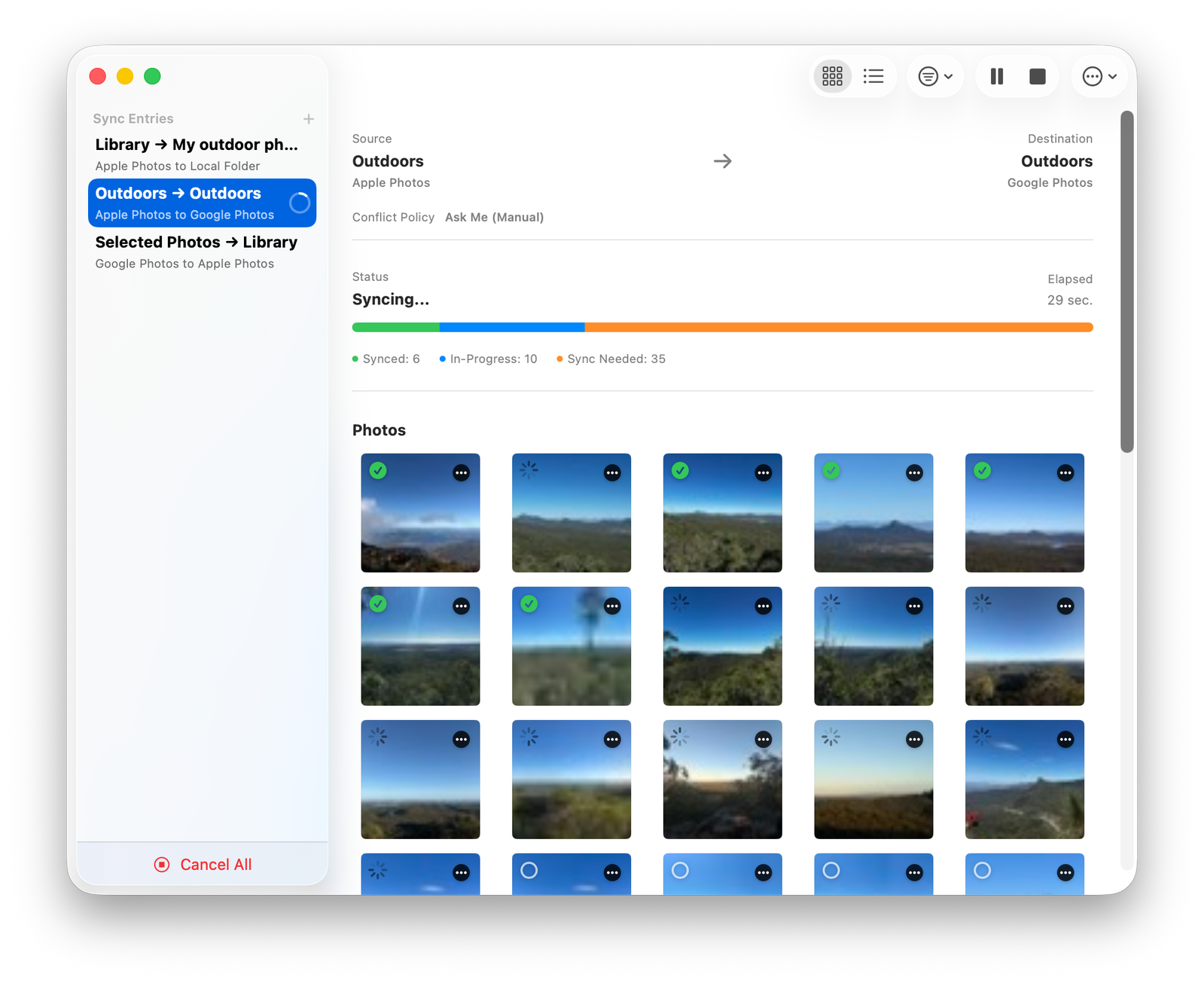
Pause, resume, or cancel active transfers instantly across single or multiple concurrent syncs.
Privacy-First
Runs entirely on your Mac. All data stays securely between you and your photo hosting services.
How it works
Three simple steps from setup to a fully synced library.
Ready to move your photos?
Download Moire on the Mac App Store and take full control of your photo library.
Requires macOS 14 Sonoma or later.
Requires iPadOS 26 or later.